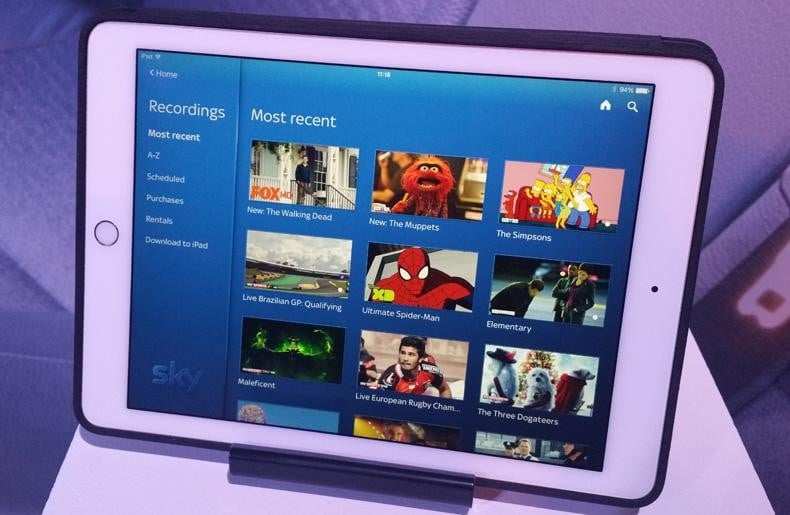
Sky Q Review A comprehensive review of Sky Q by Managing Director Clive Tuckwell I had ordered the ‘full monty’. A new Sky Q Hub, a Sky Q Silver set top box and two Sky Mini set top boxes. Sorting out the dish was the quick bit. The existing two satellite Sky+ cables were fine, so the engineer just fitted a new dish and LNB. I’m not sure why the new dish, but perhaps my old dish was just not up to the job. Then the engineer moved onto the installation of the three set top boxes. I helpfully suggested that, rather than ‘messing about’ with wireless, he could interconnect the boxes via my network. Call me old fashioned, but I like to restrict wireless connectivity to mobile devices. For all other equipment I prefer to use good old reliable ethernet cabling. The fact I work for a cabling company has no bearing on this. However, shaking his head, he said he didn’t believe ethernet would work. And even if it did work, it would prevent me using the Sky boxes as Wifi hot points. When I looked a little puzzled by this apparent and irrational restriction, he called his boss, who supported the engineers concerns. So we opted for wireless. About an hour later, all was working and Sky was happily streaming onto my three TV’s, plus an iPad. Most of this time was spent walking round my house, checking wireless signal strength and then downloading the latest round firmware updates to all of the boxes. He also set up the remotes. The engineer admitted that this was the difficult part of the installation, finding a sufficiently strong wireless signal and then waiting for firmware to down load over slow broadband connections. After he left, I tried a few experiments with the network. Although the Sky Internet HeIp discourages even trying it, I pretty quickly found how to move the boxes from wireless to my Ethernet network. Not only did this work, but despite the warnings, each box continued to act as a Wi-fi hotspot. Further, these hotspots now delivered at the full speed of the broadband link, rather than the one third speed (in the case of one Sky Mini) when in wireless mode. It is a mystery why Sky are discouraging wired connectivity! Especially as in any moderately sized house with thick walls, full strength wireless connectivity is normally a nightmare. Overall, the installation service is very good and the engineers are equipped with a van full of bits and pieces to get you going. The set top of boxes are of a uniform black style, small and neat. The Sky Q Mini set top box is very small, which is of great advantage when needing to find room to put it. All set top boxes come with HDMI outputs, as well as supplementary optical outputs for surround sound. Each set top box comes with a re-designed IR Sky Remote. These are designed around the new Sky Q interface and are excellent remotes. Like the old Sky+HD remotes, they can also be configured to control the TV, so you only have to use one Remote. The Sky Q Silver box also comes with a 2nd remote. This has the same buttons as its standard cousin, but Sky Q comes with a completely re-designed user interface, which is the same on all of the set top boxes. It is more modern looking than Sky+, slick and easy to use. It provides essentially the same set of services as Sky+, which is the ability to watch and record live TV, Catch Up TV, Sky library content as well as recordings. However, unlike Sky+, the system is now multi- screen/multi-user, so all Set top boxes and iPads dip into the same library of recordings. Fluid Viewing, as Sky boasts about in their marketing, is just a consequence of this. Incidentally, Fluid Viewing, the ability to Pause on one screen and continue the program on another, only works on recordings. The Sky Q tablet App (I was using iPad), looks very similar to the set top box version and provides some, although not all, of the same functionality. It is also possible to save recordings for off-line access. When off-line, the Sky Q app will use the Internet to allow live viewing of Sky content. Very quickly I set up an experiment where I was watching live TV on five different screens (three TV’s and two iPads). All worked perfectly, with no hint of any performance hiccups. As well as acting as a Wifi hotspot, each set top box can also act as an Apple AirPlay receiver (sound only). Nice touch. It is clear that the initial Sky Q system is a new family of products which Sky are likely to improve and expand on over the next few years. Some obvious improvement that are likely to happen include: It is easy to forget, but when Sky first launched Sky+ in 2001, features such as pausing live TV and integrating recordings into the EPG were completely novel. What Sky had done, was introduce attractive new ways to use and watch TV, but making these features intuitive and easy for everyone to use. Since then, almost all systems are doing it. Sky Q is a similar leap forward. It is continuing with the Sky+ concept, but making the system truly multi-user/multi-screen, whilst still being completely intuitive to use. Live TV, recordings and down loaded content are simultaneously streaming around the home onto various screens, but with complete lack of fuss or complexity and everything just works. Although only just launched, the product is pretty polished. The hardware is well thought out, small and tidy. The software is easy to use, reliable and will surely get even better as Sky develop the concept (as per Sky+, software upgrades happen invisibly in the background). In a nutshell, this is probably the best TV system currently available. It is packed with features which will be of appeal to any home with multiple TV sets, which is most homes. Plus, when available, it will be Sky’s route into 4K viewing.The Installation
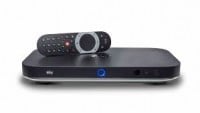
The Hardware
is Bluetooth (so doesn’t need to be pointed) and has a pad for cursor control. I prefer the standard remote (or put more specifically, after a month I still haven’t mastered using the pad on the Bluetooth remote), but it’s probably personal taste.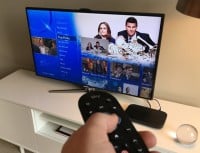

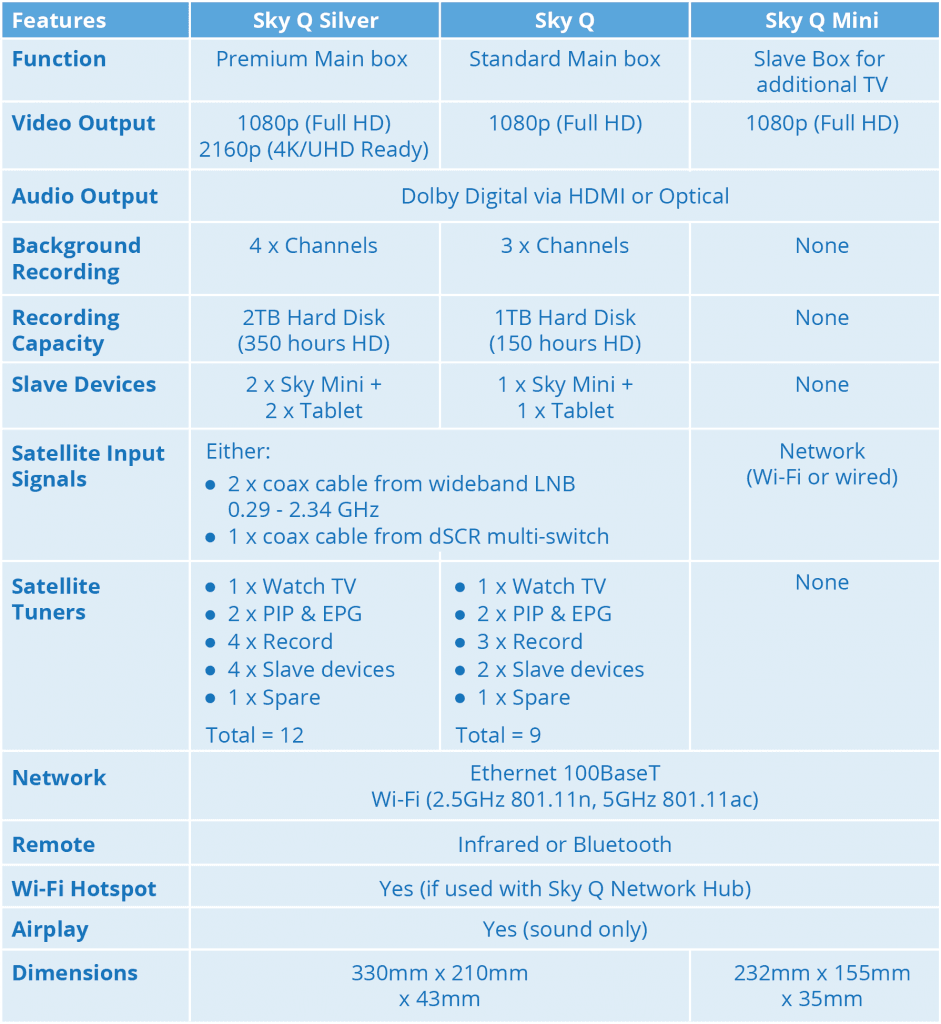
Summary of Sky Q STB Features
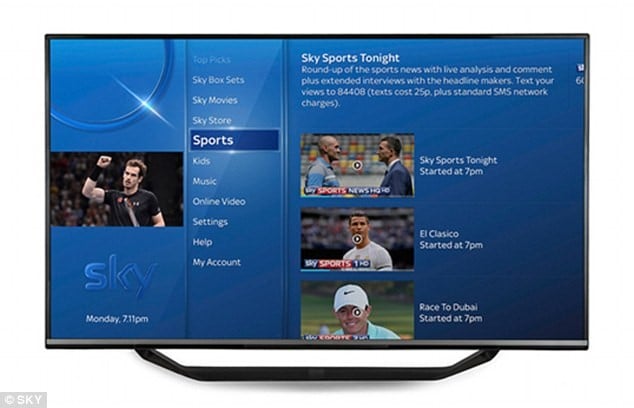
Using Sky Q
Expandability
Conclusions
Good
Bad

